


Fingerprint Live Animation
4.571.00 Reviews
App Specs
- Version
- 1.41
- Updated On
- License
- Free
- Downloads
- 10,000,000+
- Developer
- Prometheus Interactive LLC
- Categories
- Personalization
- Platform
- Android
Screenshots
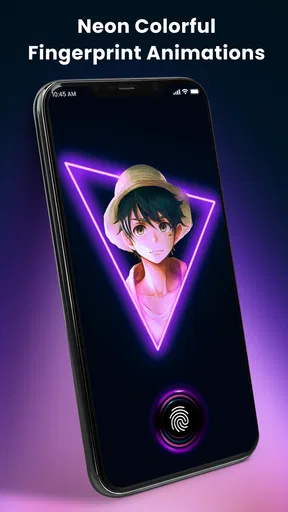
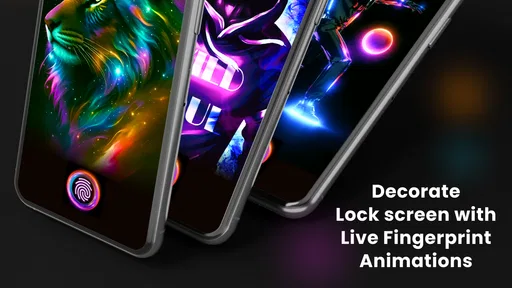
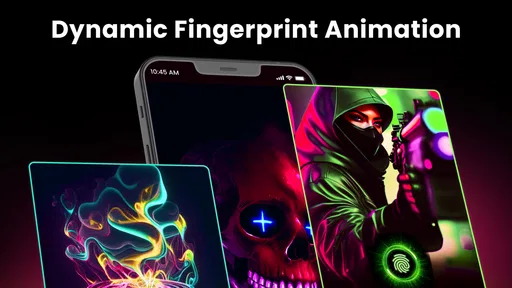
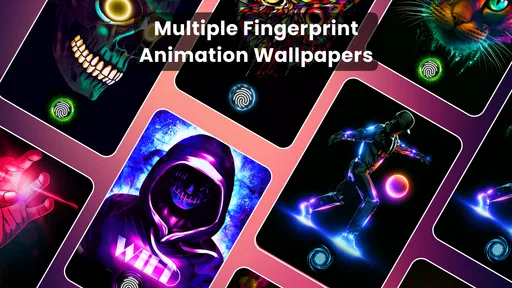
 Analysis by AppCompare
I think a lock-screen flourish works best when it fits a habit you already have, rather than asking you to change how you use your phone. Fingerprint Live Animation is aimed at that small, frequent moment: unlocking. Its appeal is less about adding a new tool and more about making a routine interaction feel a little more personal. I’d approach it as a visual extra, not as a replacement for the phone’s security or lock-screen controls.
Start with a simple, repeatable setup
When I try a personalization app, I prefer to make one change at a time. I’d first choose an animation that is easy to recognize and doesn’t compete with the fingerprint prompt, then use it for a day or two before changing colors or style. That makes it easier to tell whether the effect genuinely suits the screen or only felt exciting during the first few minutes.
This is especially useful if you unlock your phone while walking between rooms, checking a message, or glancing at a notification. A busy effect can feel fun when you are exploring, but a calmer choice may be more comfortable when you repeat the same action throughout the day. I’d treat the animation as a small accent and keep the rest of the screen readable.
A practical test is to use the same setup in two everyday situations: a quick unlock in bright surroundings and a slower check in a dim room. If the effect feels distracting in either case, try a less vivid style rather than assuming the app is not for you. The best choice is the one you stop noticing until you want to enjoy it.
Check the options before settling on a look
The app is a free personalization download from Prometheus Interactive LLC, with optional in-app purchases listed from under a dollar to just under a hundred dollars per item. I’d explore the available choices before paying for anything, and check the purchase screen carefully so I know what a particular option costs. The free starting point makes it easy to decide whether this kind of customization belongs in my daily routine.
It is listed for Everyone and requires Android 7.0 or later. The current version is 1.41, and the app has a 4.2 average from around 58 thousand ratings, with over 5 million installs. Those figures suggest plenty of people have tried it, but they can’t tell you whether a particular animation will suit your phone or personal taste. I’d judge that by trying a restrained setup first.
One detail worth checking is how the animation behaves alongside the phone’s own fingerprint and lock-screen experience. I would keep the device’s normal unlocking method in mind and make sure the visual effect is not mistaken for a change to security. An animation can dress up the moment, but I would still rely on the phone’s built-in controls for access protection.
Worth Reading Before You Choose

Flipboard Shows What News Apps Must Do Beyond the Feed

Switching to Android Auto Means Rethinking Your Driving Routine

Google Calendar Makes a Crowded Week Easier to Manage

Ludo King Makes the Most of the Minutes Between Plans

Baby Panda World Brings Quick Play to Modern Phones, but Its Game Library Feels Busy

ESPN’s Live Game View Makes Following Close Games Easier
Build a faster habit without over-customizing
Once I find a look I like, I tend to leave it alone for a while. Constantly switching effects can turn a quick personal touch into another setting to manage. A more useful pattern is to choose a style that works with the wallpaper I already use, then revisit the options only when I change the phone’s overall look or simply want something different.
That approach also helps when sharing a device or showing someone how the effect looks: a consistent setup is easier to explain than a collection of changes made in one sitting. I would avoid changing several visual choices at once, because then it becomes hard to identify which one improved the result. Small, deliberate adjustments are more useful than customization for its own sake.
Getting Started with Fingerprint Live Animation
First things first, downloading the app was a breeze. It’s available for both Android and iOS, so no worries if you’re team Apple or Android. Once installed, you’re greeted with a simple and intuitive interface. No unnecessary fluff, just straight to the point—which I appreciate. It’s kind of like opening a new book, you know? You just dive in and get started.
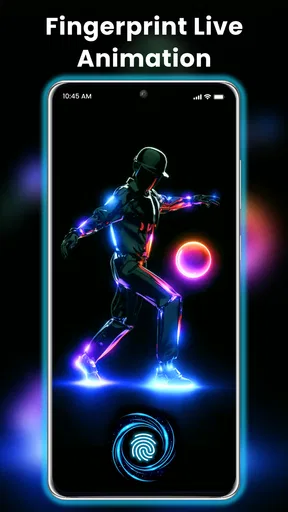
The app’s main feature is to animate your fingerprint scanner. Sounds simple, right? But it’s surprisingly entertaining. You get to choose from a variety of animations that pop up when you unlock your phone. These aren’t just any animations; they’re vibrant and smooth, making the whole unlocking process feel a tad more exciting. It’s like having a tiny light show every time you want to check your messages.
Features that Caught My Eye
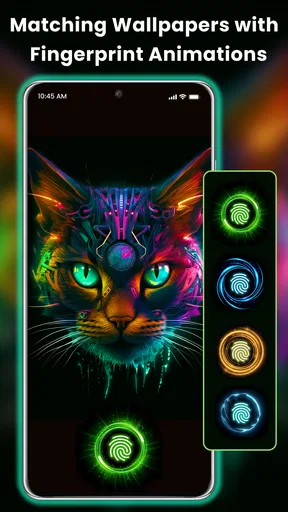
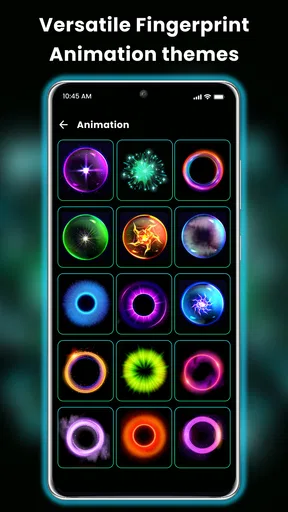
Now, let’s talk about the features that really stood out. The customization options are pretty neat. You can select from a myriad of colors and styles, making it easy to match your current mood or aesthetic. Feeling a bit blue? There’s an animation for that. Want something fiery and intense? They’ve got you covered.
Another cool aspect is the ability to change animations based on the time of day. I mean, who doesn’t want a different vibe in the morning compared to the evening? It’s these little touches that make Fingerprint Live Animation feel personal and tailored just for you.
Day-to-Day Experience
Using the app daily, I noticed that the animations didn’t lag or cause any noticeable battery drain, which was a pleasant surprise. Often, apps that run in the background tend to be a bit greedy with resources, but this one seemed pretty well optimized.
One thing I really liked was how seamlessly it integrated into the phone’s locking system. It didn’t feel like an add-on, more like it was always meant to be a part of the system. And let’s be honest, any app that can do that deserves a pat on the back.
Also, I have to mention the community feature. Users can create and share their own animations, which opens up endless possibilities to keep the app fresh and exciting. It’s like having a little creative hub right in your pocket.
Where it fits—and where it doesn’t
The usual alternative is to leave the phone’s unlock screen as it is, or to personalize the wallpaper and other visible parts of the home screen instead. I see this app as a more focused choice: it puts the visual change at the moment of unlocking, rather than changing the whole look of the device. If you want a quieter phone or care more about a clean, familiar unlock routine than visual flair, the standard setup may be the better fit.
It makes the most sense for someone who enjoys small details and doesn’t mind seeing the same kind of effect many times a day. It is less suited to anyone looking for a new security method, a broad phone makeover, or a practical utility that saves time. I would also skip it if animated visuals quickly become irritating; the novelty is part of the appeal, but repeated exposure can make even a polished effect feel like extra noise.
For a realistic routine, imagine checking a notification before heading out, then unlocking again later to reply to a message. I’d choose one animation that remains easy to look past when I’m in a hurry and enjoyable when I do notice it. If I wanted a different mood for evening use, I’d make that change deliberately rather than browsing options every time I picked up the phone. The point is to make the interaction feel considered, not to add a task to it.
Know the trade-offs before making it part of your routine
Personalization is subjective, and the same vivid effect that looks lively on one screen may feel too prominent against another wallpaper. I’d test the animation with the background and layout I actually use, not just judge it in the app’s own preview. That small check can prevent a mismatch that only becomes obvious during normal use.
I’d also keep expectations grounded: an animation changes the appearance of unlocking, not the purpose of the fingerprint system itself. If the experience ever feels less clear or comfortable, I’d choose a simpler look or return to the usual screen rather than tolerate a distraction for the sake of novelty. The right customization should make a familiar action more enjoyable without making it harder to use.
Fingerprint Live is listed in the Personalization category, and its store summary highlights animated fingerprint effects alongside HD wallpapers. That combination will appeal to people who like coordinating the phone’s appearance, though I would focus on one visual change at a time. A coordinated screen can look intentional; changing every available element at once can make it harder to tell what you actually like.
What I’d want to know before installing
If you are wondering whether it costs anything to try, the app is free to download, while optional purchases are available. I’d start with the no-cost experience and only consider a purchase after I know which look I want. If the choices I enjoy are already available without paying, there is no reason to buy something just because it appears in the customization flow.
If you are deciding whether it will suit your device, the listed Android requirement is version 7.0 or later. The app’s store information also identifies an iOS version, so people on Apple devices can look for the corresponding edition. I would still choose based on how I use my own phone: the central idea is an animated fingerprint-unlock moment, and that is only worthwhile if the effect feels natural on the device in hand.
Another likely question is whether the app is worth keeping after the first day. I’d give it enough time to move past the initial novelty, then ask whether I still enjoy seeing the animation during ordinary unlocks. If I do, it has earned its place as a small personalization choice. If I stop noticing it or find it distracting, removing it is a reasonable outcome rather than a failure.
My verdict after living with the idea
So, is Fingerprint Live Animation worth the download? If you’re looking to add a splash of fun to your phone’s daily interactions, then I’d say yes. It’s not going to change your life, but it will make unlocking your phone a little more enjoyable. Plus, who doesn’t like the idea of customizing something you use hundreds of times a day?
Overall, this app is a delightful little addition to the smartphone experience. It’s simple, effective, and adds a touch of personality to your device. Plus, with the ability to customize and create your own animations, it keeps things fresh and exciting. So, give it a whirl and see how it transforms your everyday interactions. Trust me, your phone will thank you.
Pros
- Dynamic and eye-catching animations
- Customizable animation settings
- Easy to use with intuitive interface
- Lightweight
- doesn't drain battery
- Regular updates with new features
Cons
- Limited free animation options
- Ads can be intrusive at times
- Requires internet for full functionality
- In-app purchases can be costly
- Animations may not work on all devices
FAQs for Fingerprint Live Animation
What is Fingerprint Live Animation?
Fingerprint Live Animation is an app that provides dynamic animations for the fingerprint sensor area of your smartphone. It offers a range of customizable animations that play every time you unlock your device, adding a personalized and visually appealing touch to your phone's interface.
Is Fingerprint Live Animation compatible with all devices?
Fingerprint Live Animation is primarily designed for Android devices with a fingerprint sensor. Compatibility may vary depending on the phone model and software version. It's recommended to check the app's requirements and user reviews related to your specific device to ensure full functionality.
Does Fingerprint Live Animation impact battery life?
The app is optimized to minimize battery consumption, but any additional animations can slightly increase battery usage. It's designed to be efficient, but if you're concerned about battery life, you may want to monitor usage or adjust animation settings to meet your preferences.
Are there customization options available in the app?
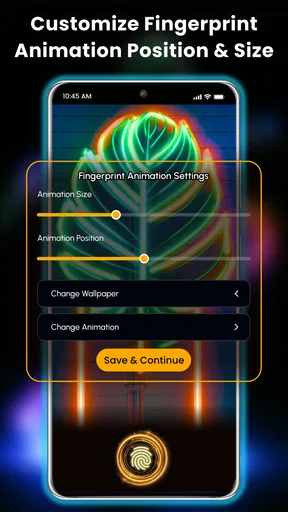
Yes, Fingerprint Live Animation offers a variety of customization options. Users can choose from different animation styles, colors, and effects to match their personal taste. The app aims to provide a highly customizable experience, allowing users to create a unique unlocking animation.
Is Fingerprint Live Animation safe to use?
Fingerprint Live Animation is generally safe to use, as it functions primarily as a cosmetic feature without accessing sensitive data. However, it’s important to download the app from official sources like the Google Play Store to ensure you're getting a legitimate and secure version.


